
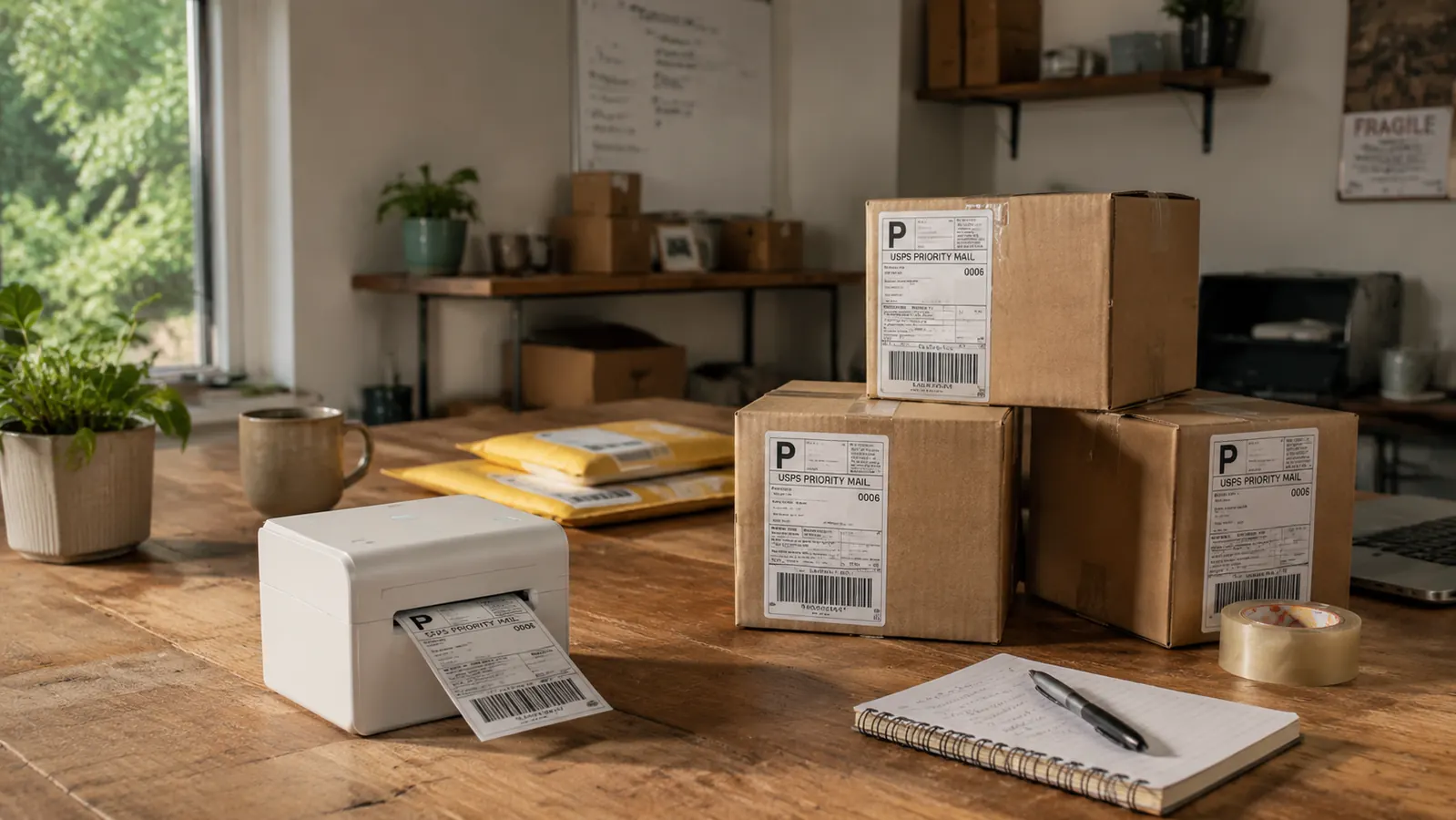
Six months ago I was cutting label paper with scissors every Monday morning. I printed USPS labels on regular 8.5x11 sheet stock, cut them to size, taped them onto boxes, and then wondered why my shipping station felt like arts and crafts hour. My store, which sells custom organizational gear, was doing about 40 to 60 orders a week. That volume is not massive, but it was enough that the label process was eating two hours every week and looking sloppy on the customer end. I bought the Rollo USB Shipping Label Printer and plugged it in on a Tuesday. I have not touched scissors or label tape since.
This review covers six full months of daily use across USPS, UPS, and occasional FedEx shipments. I will walk through setup, print quality over time, the software situation, what breaks down, and the one thing I would change if Rollo redesigned this printer tomorrow.
The Quick Verdict
The Rollo is the fastest path from 'order placed' to 'label on box' that exists under $200. Setup takes under 10 minutes, print quality is excellent, and it handles every carrier I use without fuss. The only real gripe is that label roll loading takes some trial and error the first few times.
Amazon Check Today's Price →If your shipping process involves tape and scissors, stop right now.
The Rollo USB Thermal Label Printer prints a perfect 4x6 label in under two seconds, no ink, no scissors, no tape. It works with USPS, UPS, FedEx, Amazon Seller Central, Etsy, and eBay out of the box. Over 16,000 verified buyers rate it 4.6 out of 5 stars.
Amazon Check Today's Price on Amazon →How I Have Used It
My setup is a 13-inch MacBook Pro connected to the Rollo via USB-C with a short adapter cable. The printer sits on the left side of my packing table, which is a six-foot folding table I use exclusively for fulfillment. I print labels one by one from USPS Click-N-Ship and from my Shopify store, where I use ShipStation to batch-process orders. In the early months I was printing 40 to 60 labels per week. By month four that had grown to 70 to 90 per week as the store scaled.
I use generic 4x6 thermal label rolls, not Rollo-branded ones. The printer accepts them without complaint as long as the roll diameter is reasonable. I have tried three different off-brand rolls over the past six months and all three worked fine. That matters because thermal label rolls vary widely in price and you do not want to be locked into a proprietary supply chain for consumables.
The workflow today: I batch my end-of-day orders in ShipStation, hit print, and the Rollo spits out one label after another in about two seconds each. I peel, stick, done. The entire label run for 15 to 20 packages takes under four minutes from clicking print to the last box being sealed.
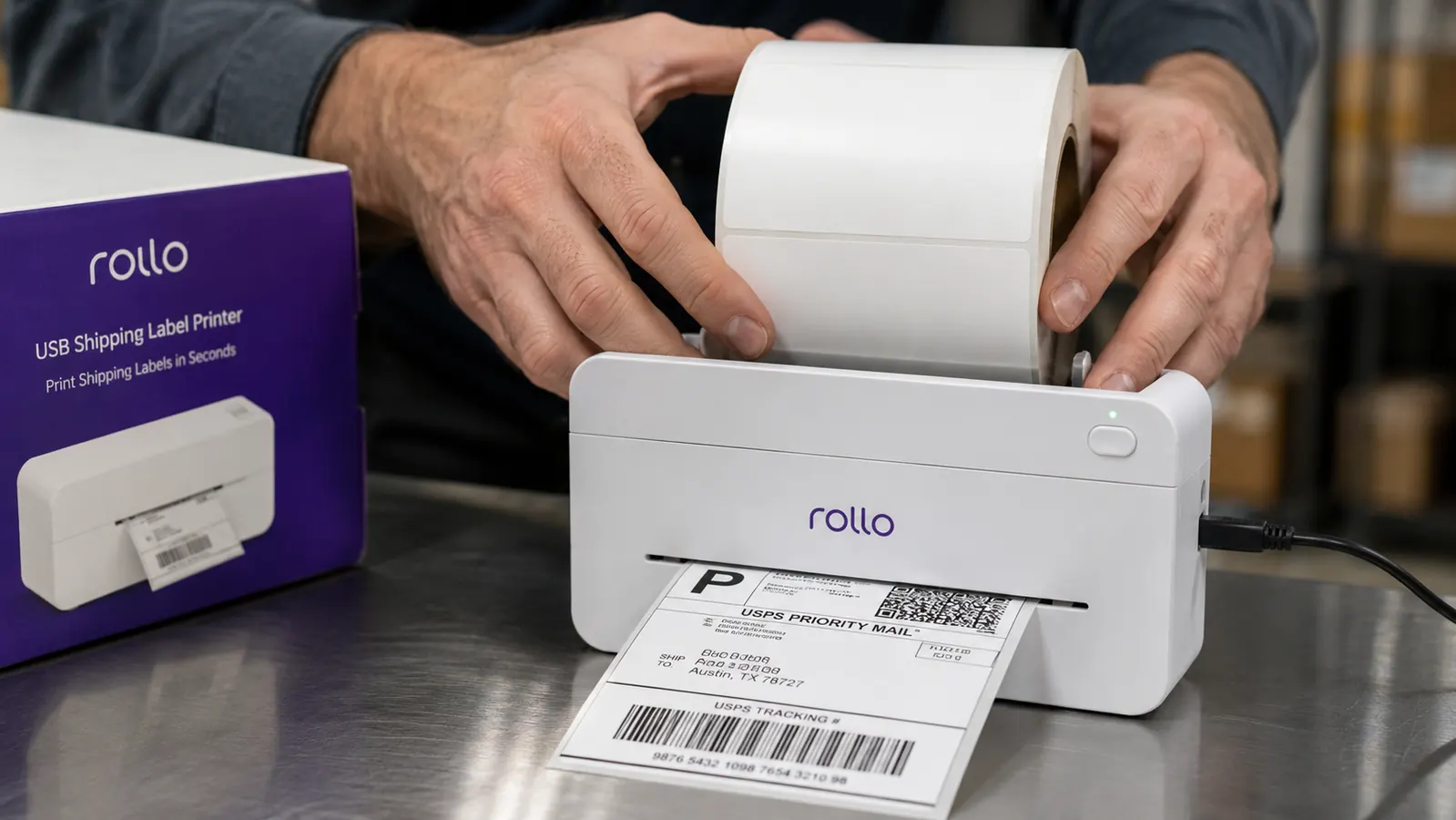
Setup Experience: What Took Two Minutes and What Took Fifteen
The physical setup is genuinely fast. Plug in the USB cable, the driver installs automatically on macOS and Windows without any disc or download, and the printer shows up as a standard printer in about 90 seconds. That part impressed me. I have set up laser printers that required a 45-minute driver installation ordeal. The Rollo skipped all of that.
Loading the label roll is where new users lose time. The mechanism requires you to thread the paper under a small metal guide rail and through a gap that is not immediately obvious. The included quick-start guide has a diagram but it is small and poorly lit. I loaded the roll incorrectly on my first try, which caused the first three labels to feed crooked. On the second attempt with the guide properly threaded everything printed square. By the third roll load I could do it in 30 seconds without looking at instructions.
The calibration button on the back is useful if labels start printing off-center. Press it once, let the printer feed one blank label, and it recalibrates. I have used it twice in six months, both times after switching to a different brand of label roll.
Print Quality Over Time: Six Months of Real Use
Thermal printing has no ink to run out, no cartridges to replace, and no warm-up time. The print head heats the label coating and the image appears instantly. In practice this means barcodes are sharp, addresses are clean, and USPS and UPS scanners have never failed to read a label I printed on this machine. Not once in six months.
The one thing to know about thermal labels is that they are heat-sensitive. Leaving a stack of printed labels near a sunny window or in a hot car will fade them. I store labels in a manila envelope in a desk drawer from the time they are printed to the time they go on a box. I have had zero readability problems using that simple system.
Print speed is listed at 150mm per second. In real use a 4x6 label prints in roughly two seconds from the moment I send the job to the printer to the moment the label is fully ejected. That is faster than I can peel and stick. The printer never became a bottleneck even on my highest-volume days.
Not one label barcode has failed to scan at the post office counter or UPS drop-off in six months. When you are shipping 70 packages a week, that reliability is worth more than any feature list.
Carrier and Platform Compatibility
I have printed labels from USPS Click-N-Ship, UPS Online, FedEx Ship Manager, ShipStation, Pirateship, and Amazon Seller Central. All of them sent the label to the Rollo without any special configuration. The printer shows up as a standard printer named Rollo. You select it, confirm 4x6 label size in the print dialog, and it works.
The one friction point is that some platforms default to 8.5x11 letter size even when you select the Rollo. You need to set your default paper size to 4x6 or the label will try to print at full letter scale and come out blank or misaligned. This is a browser and OS setting, not a Rollo setting. On macOS: System Settings, Printers, Options, set default paper to 4x6. On Windows: Devices and Printers, Printing Preferences, set media size to 4x6. Once set, it stays set and you never think about it again.
Etsy and eBay sellers will find the Rollo works exactly the same way. Both platforms generate a standard PDF label that the printer handles without issue. I also know three Etsy sellers in my area who use the same printer for their handmade goods shipping and they have all reported the same experience: setup is a small hurdle, but daily use is completely transparent.
Where It Falls Short
The Rollo is a single-purpose tool. It prints 4x6 thermal labels and nothing else. It will not print address labels on smaller rolls, it will not print on standard paper, and it will not print anything that requires color. If you need to print packing slips, thank-you cards, or product inserts, you need a separate printer for that. I use a basic inkjet for all non-label printing and keep it on the other end of my packing table.
The cable included in the box is USB-A to USB-B, which is a connector type most modern laptops no longer have. If you have a recent MacBook or a newer PC with only USB-C ports, you will need an adapter or a replacement cable before you can use the printer. I found this out the day it arrived. A USB-A to USB-C cable costs a few dollars and solved the problem, but it is worth knowing before you unbox the printer.
There is no wireless option. The Rollo connects exclusively via USB. For most shipping stations this is not a problem because the printer sits next to the computer. But if your setup involves printing from a phone or tablet, or if your packing station is away from your computer, the USB-only connection is a genuine limitation. Rollo sells a separate Wi-Fi model for about $100 more if you need that flexibility.
What I Liked
- Driverless install on macOS and Windows: plugs in and works in under 90 seconds
- Prints a 4x6 label in under two seconds at crisp, scanner-readable quality
- Works with every major carrier and platform: USPS, UPS, FedEx, Amazon, Etsy, eBay, ShipStation, Pirateship
- No ink, no cartridges, no maintenance beyond loading label rolls
- Compatible with generic 4x6 thermal label rolls, not locked into branded consumables
- 4.6-star rating across over 16,000 verified Amazon reviews
Where It Falls Short
- USB-only connection: no Wi-Fi, no Bluetooth. You need an adapter if your laptop only has USB-C ports
- Roll loading has a learning curve on the first use due to the guide rail threading
- Prints only 4x6 labels. Not a general-purpose label printer
- Thermal labels fade if stored in heat or direct sunlight
How the ROI Actually Works Out
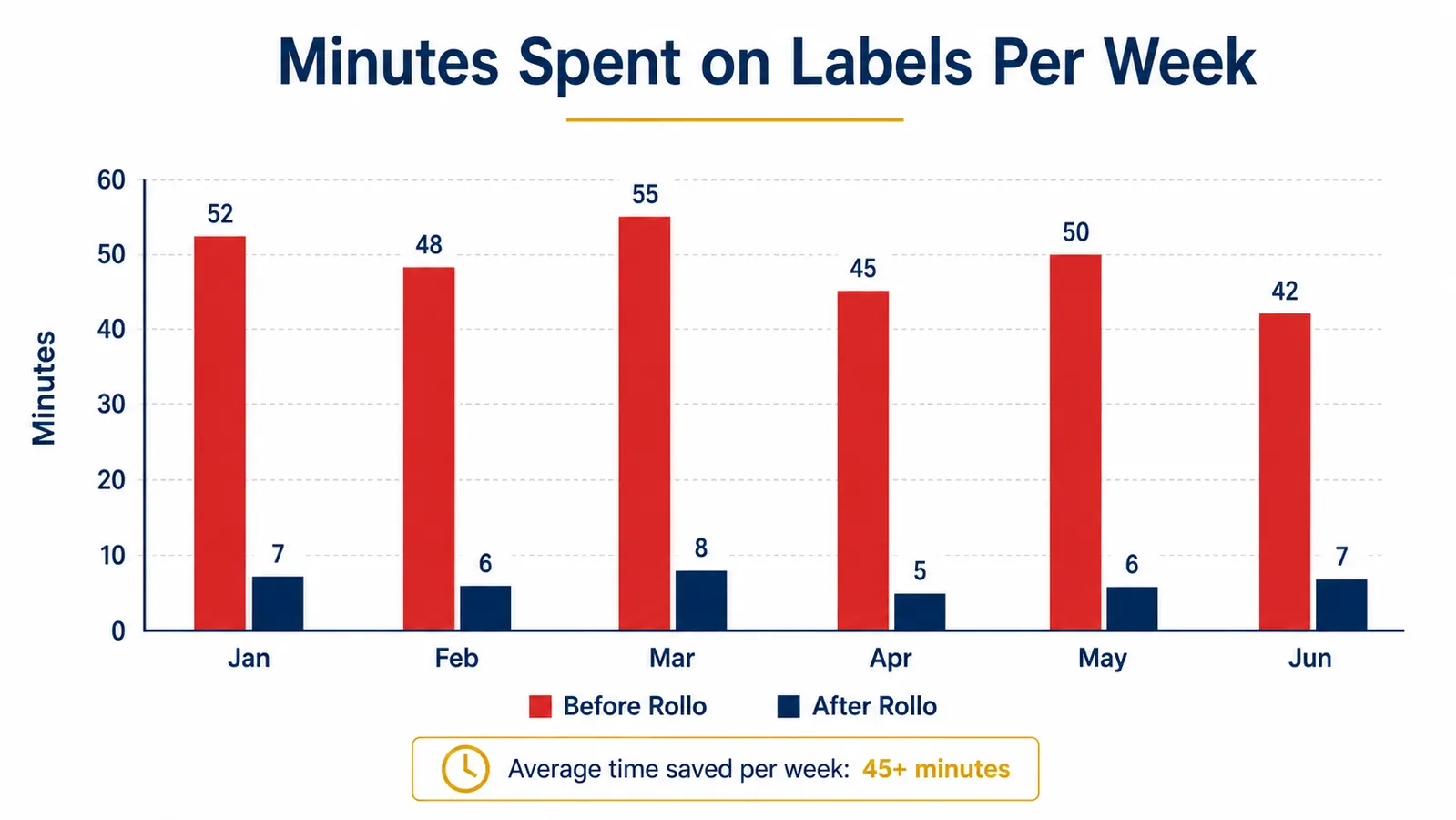
At 60 orders per week, I was spending roughly 90 minutes on label printing with the old scissors-and-tape method. With the Rollo that dropped to about 10 minutes, including loading a fresh roll. That is 80 minutes a week returned to revenue-generating activity. Over six months that is roughly 34 hours of founder time. If my time is worth $50 an hour to the business, that is $1,700 in recovered capacity from a printer that costs less than $200.
I also stopped buying Scotch tape in bulk for label application and stopped wasting the edges of letter-size paper that got cut off. The consumable cost is just the thermal label rolls, which run about $25 for 500 labels on generic stock. That is five cents a label all-in.
Who This Is For
The Rollo is the right tool if you are shipping more than 20 packages a week and you are still hand-labeling. If you sell on Amazon FBA, Etsy, eBay, Shopify, or any combination of those platforms and you have a physical shipping operation, this printer pays for itself inside two months. It is also the right tool for anyone running a subscription box, a direct-to-consumer brand, or a wholesale operation that produces outbound shipments on a recurring basis. The driverless install makes it the easiest hardware addition to a small business I have ever set up.
It is also a reasonable buy if you are just starting and anticipate growth. Buying this before you need it means the workflow is already dialed in by the time volume picks up. Starting with messy paper labels and switching later costs you transition time. Just start with the right setup.
Who Should Skip It
If you ship fewer than five or ten packages a week, a thermal label printer is probably not worth the investment yet. At that volume, printing on letter paper and cutting is annoying but not a real time sink. Wait until you are consistently above 20 shipments a week before committing to this purchase.
Also skip it if you need wireless printing or if your workflow requires printing from a phone or iPad. The USB-only setup is a hard constraint. For those use cases, look at the Rollo Wi-Fi model or the DYMO LabelWriter 4XL, which has a wireless variant. If you want to compare those two options directly, the breakdown is in our Rollo vs DYMO LabelWriter comparison.
And if you print labels in very low volumes but want to understand how much time a label printer can save across a full year, the numbers in our 10 reasons a label printer saves hours for ecommerce sellers article make the case in plain terms.
Six months, thousands of labels, zero ink cartridges, zero downtime.
The Rollo USB Thermal Label Printer is the standard choice for serious ecommerce sellers for a reason. It prints fast, sets up in minutes, and works with every platform you already use. Check current pricing and availability on Amazon.
Amazon Check Today's Price on Amazon →